
-
billy_mx
Hi guys,
I’ve been looking at this for hours and tried several stuff before creating this topic.
I want to add featured IMGs to my post navigation like this:
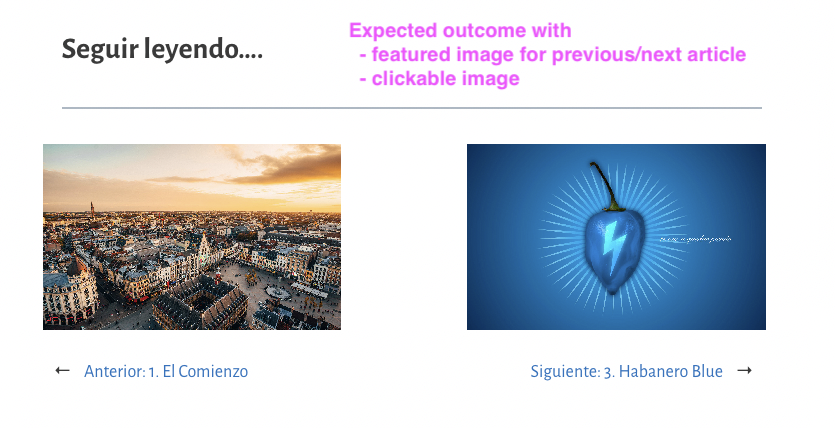
I’ve looked at these 2 support posts for hours, added the php to my functions.php on my child theme + the CSS, but nothing is working. Maybe those solutions are outdated (both are from 2020).
Topic 1: https://generatepress.com/forums/topic/featured-image-in-pre-next-post-navigation/
Topic 2: https://generatepress.com/forums/topic/post-navigation-with-clickable-thumbnails/Here is the “reusable bloc” I’m using.
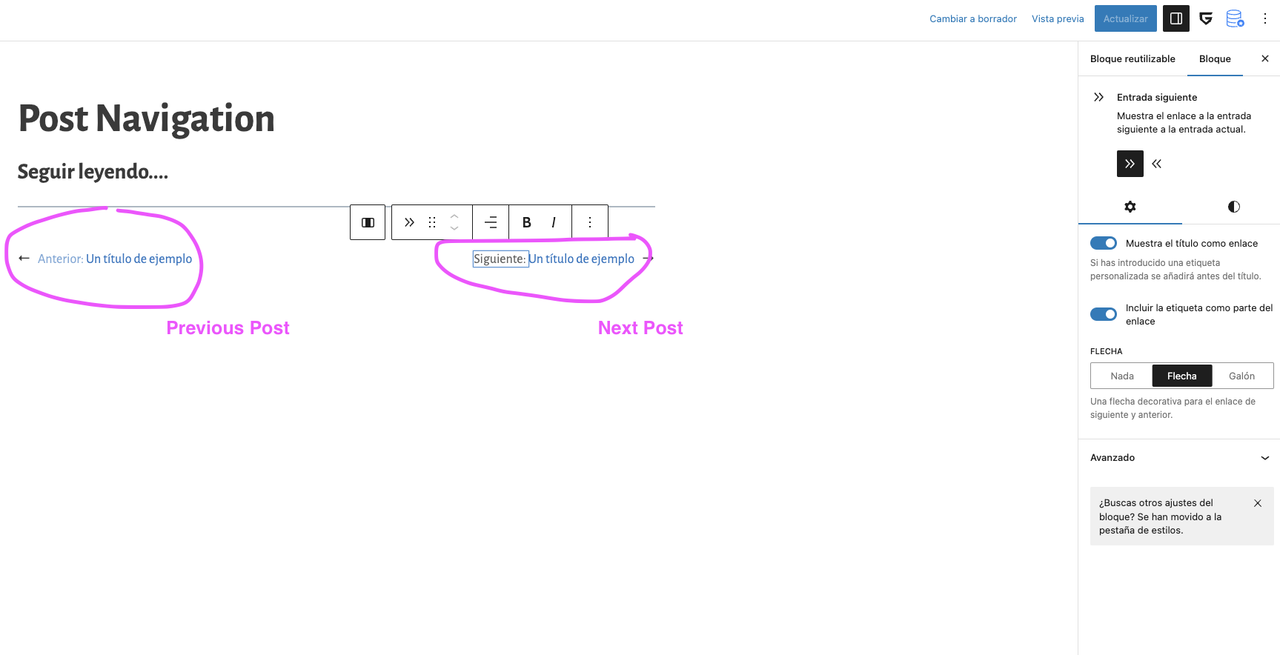
I hope you can help me, thanks a lot!
Billy 😉PS. I also saw the option to build the navigation from the Appearance > Elements but the end result was not looking great as it was being placed between my post and the comment box (on the grey background). If we can solve this with a reusable bloc it would be fantastic.
PS2. Here’s my blog post URL where I’m doing all the tests: https://micaminoimperfecto.com/la-ventana-de-la-libertad/
-
Fernando
Hi Billy,
Yes, the links you shared have outdated solutions.
Using a Block Element – Post Navigation Block is the current way to do this.
The easiest approach is to use a template. Example: https://share.getcloudapp.com/wbuLWJq9
Can you try that and see if any of the templates work for you?
-
billy_mx
Hey Fernando, thanks for your quick answer.
Yeah, I tried that but to be honest, it doesn’t look that great.

Take a look by yourself on the site: https://micaminoimperfecto.com/la-ventana-de-la-libertad/
Any other idea or piece of code to solve this inside each post?
Thanks again,
Billy -
Fernando
I see. Let’s address the positioning first. Can you set the hook to
after_content? Example: https://share.getcloudapp.com/E0uLzlxL -
billy_mx
Nice, seems you almost got it: https://micaminoimperfecto.com/la-ventana-de-la-libertad/
You can leave the instructions here and I’ll try to do it (I come from years of building sites with Divi, getting familiar with Generate Press little by little).
Thanks a lot Fernando!
-
Fernando
For reference, this video shows how to create a Block Element – Post Navigation from scratch: https://www.youtube.com/watch?v=J-VIWJiJBDQ&t
Here’s the article showing the hooks you can use if ever you want to reposition the Post Navigation: https://docs.generatepress.com/article/hooks-visual-guide/#posts-page
The structure I would have with the design you’re going for is something like this: https://share.getcloudapp.com/QwuwlQDX
You’ll just need to tweak the widths and other settings to make it look exactly the way you want it to be.
-
billy_mx
Hands on working 😉🙌🏻
I’ll ping you with the final result.
Thanks again!
-
Fernando
You’re welcome, Billy! 🙂
-
billy_mx
Seems I already got it Fernando. Last question would be, do you know how can I center those elements for Mobile? Or any other solution to make it look a little bit better?

Here’s the structure I’m using:

Thanks!! 🙏🏻
-
Fernando
That’s great!
To align it to center, there are two approaches:
Option 1 Text align center: https://share.getcloudapp.com/lluXJw0b
Option 2 Display flex center: https://share.getcloudapp.com/o0uJvxGr
-
billy_mx
Bro, nothing else to say. You’re the man!

PS. I did a little trick to show “Next post” 1st on Mobile 😜
Thanks soooo much 🙏🏻🙏🏻🙏🏻
-
Fernando
You’re welcome, Billy! Glad to be of assistance! 🙂


- You must be logged in to reply to this topic.